
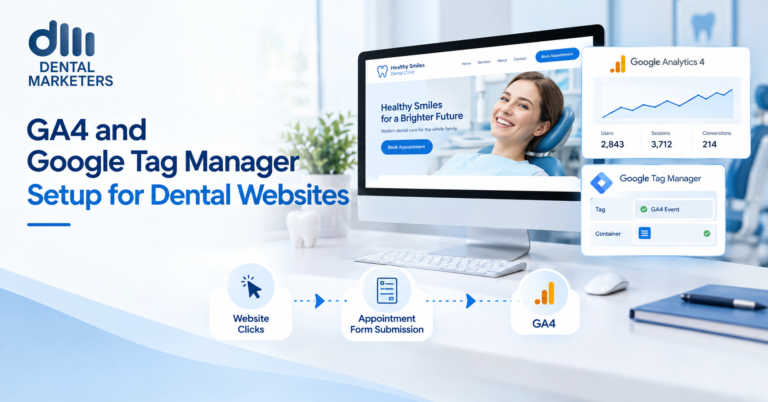
To set up GA4 for a dental website, create a GA4 property, install the Google tag through Google Tag Manager and track key events such as booking requests, form submissions, and phone calls. UK practices should also add a cookie banner with Google Consent Mode and never send patient names, emails or treatment details to GA4.
Many dental websites have Google Analytics installed but track very little that matters. They count visits, not new patient enquiries. This guide shows how to set up GA4 and Google Tag Manager the right way. It also covers consent, patient data and the events every dental practice should track.
What Are GA4 and Google Tag Manager?
Google Analytics 4 (GA4) is Google’s free tool for measuring what visitors do on your website. Google Tag Manager (GTM) is a free tool that adds and manages tracking codes without editing your website each time. Together, they show which pages and channels bring new patient enquiries.
Why Dental Practices Need Proper Tracking
Without good tracking, you cannot tell which marketing works. For example, you may not know whether Google Ads, SEO or your Google Business Profile brings more bookings. As a result, budgets often go to the wrong places.
Good tracking helps you:
- See which treatment pages bring enquiries.
- Compare SEO, paid adverts, social media and Google Business Profile traffic.
- Find pages where visitors leave without booking.
- Feed accurate results back into Google Ads.
- Make decisions based on data, not guesswork.
Before You Start
First, check who owns your accounts. The practice should own GA4, Tag Manager and Google Ads, and give agencies user access. That way, you keep your data if you change suppliers. Also, make a list of the actions you want to track, such as bookings and calls.
How to Set Up GA4 and Google Tag Manager: Step by Step
- Create a GA4 property. In Google Analytics, go to Admin and create a property. Then add your practice name, the UK time zone and pounds sterling.
- Create a web data stream. Add your website address. GA4 then gives you a Measurement ID that starts with “G-”.
- Create a Tag Manager container. Set up a web container in Google Tag Manager. Next, add the two GTM code snippets to every page of your site, or use your website platform’s GTM setting.
- Add the Google tag. In GTM, create a new tag and choose “Google Tag”. Enter your G- ID and set the trigger to “Initialization – All Pages”.
- Test before publishing. Click Preview in GTM to open Tag Assistant. Then check that the Google tag fires on each page.
- Publish the container. Click Submit, name the version clearly and publish it.
- Check GA4 reports. Open the Realtime report or DebugView in GA4. Finally, visit your website and confirm that GA4 records your visit.
The Key Events Every Dental Website Should Track
GA4 now calls conversions “key events”. These are the actions that show real patient interest. For a dental practice, the most useful ones include:
| Key Event | What It Shows | How to Track It in GTM |
| Booking request | A patient asks for an appointment | Trigger on the booking thank-you page, or on a booking widget event |
| Contact form | A general enquiry | Trigger on the thank-you page or a success message |
| Phone click | A mobile visitor taps to call | Click trigger where the link URL starts with tel: |
| WhatsApp click | A visitor starts a chat | Click trigger where the link contains wa.me |
| Email click | A visitor opens an email | Click trigger where the link starts with mailto: |
| Directions click | A visitor plans a visit | Click trigger on your map or directions link |
| Form download | A patient downloads a medical history form | Click trigger on the PDF link |
For each one, create a “Google Analytics: GA4 Event” tag in GTM with a clear event name, such as booking_request. Then, in GA4, mark the most important events as key events.
Online Booking Systems and Other Websites
Many practices use a third-party booking system or finance provider. However, these often run on a separate domain or inside a frame. As a result, GA4 may lose the visit or credit the booking to the wrong source. So check with your provider about GA4 support. Also, add their domain to your cross-domain settings or your unwanted referrals list in GA4.
Cookie Consent and Consent Mode
UK law generally requires consent for non-essential cookies, including most marketing cookies. Therefore, add a proper cookie banner before tracking starts. Next, connect the banner to Google Consent Mode v2. This tells Google tags whether each visitor accepted analytics and advertising cookies.
Google requires Consent Mode for advertisers who use certain features with UK and European visitors. In addition, UK rules on analytics cookies have recently changed. So check the latest ICO guidance, or ask your cookie banner provider, before you decide your settings.
Protecting Patient Data
Dental websites handle sensitive information. Google’s policies ban sending personal details to GA4. Moreover, health information counts as special category data under UK GDPR. So follow these rules:
- Never send names, emails, phone numbers or dates of birth to GA4.
- Never send treatment details or medical answers from forms.
- Check thank-you page addresses for personal details in the URL.
- Use simple event names, such as form_submit, not the form content.
- Limit who can access your GA4 and GTM accounts.
- Mention analytics in your privacy policy.
Important GA4 Settings to Change
- Data retention: change it from 2 months to 14 months.
- Internal traffic: filter out visits from your practice so staff do not skew data.
- Unwanted referrals: list booking and payment sites so they do not take credit.
- Search Console: link it to see which searches bring visitors.
- Google Ads: link it and import your key events for better bidding.
- User access: give agencies the lowest level of access they need.
Tag Your Google Business Profile Link
By default, GA4 often counts Google Business Profile visits as organic or direct traffic. So add tracking tags to your profile’s website link, such as utm_source=google, utm_medium=organic and utm_campaign=gbp. As a result, you can see how many enquiries come from the map pack.
Turning Data Into Decisions
Tracking only helps if someone reviews it. So set a monthly routine:
- Check key events by channel and by treatment page.
- Compare this month with last month and last year.
- Look for pages with high traffic but few enquiries.
- Share a short summary with the practice team.
Also, consider a simple Looker Studio dashboard. That way, the practice owner sees the numbers that matter without opening GA4.
Common Mistakes to Avoid
- Using the old GA4 Configuration tag instead of the Google tag.
- Installing GA4 twice, which doubles every visit.
- Tracking button clicks instead of completed bookings.
- Starting tracking before visitors give consent.
- Sending form content or patient details to GA4.
- Letting an agency own your accounts.
Key Benefits of a Proper Setup
- Clear data on which marketing brings new patients.
- Better Google Ads results from accurate key events.
- Stronger trust through privacy-friendly tracking.
- Faster fixes for pages that lose enquiries.
- Full ownership of your practice’s data.
Frequently Asked Questions
Do dental websites need Google Tag Manager?
It is not essential, but it helps. GTM makes it easier to add and change tracking without editing your website each time.
What should a dental practice track in GA4?
Track booking requests, contact forms, phone clicks, WhatsApp clicks and directions clicks. Then mark the most important ones as key events.
What happened to conversions in GA4?
Google renamed conversions to key events in GA4. However, Google Ads still uses the word conversions.
Is GA4 GDPR compliant for dental practices?
It can be, if you collect consent properly and never send personal or health data. Also, explain analytics in your privacy policy.
Do I need a cookie banner for GA4 in the UK?
In most cases, yes. However, rules for analytics cookies have recently changed, so check the latest ICO guidance.
How do I test my GA4 setup?
Use GTM Preview with Tag Assistant. Then check the Realtime report or DebugView in GA4.
How long does GA4 keep data?
The default is 2 months for detailed reports. So change it to 14 months in your data retention settings.
Final Thoughts
Setting up GA4 and Google Tag Manager is one of the most valuable jobs for any dental website. However, the details matter. So use the Google tag, track real patient actions as key events and respect consent and patient privacy. Then review the data every month. Over time, you will know exactly which marketing fills your appointment book.
Get Your Tracking Set Up Properly with Dental Marketers
Dental Marketers helps UK dental practices set up GA4 and Google Tag Manager correctly, with privacy and consent built in. We track the actions that matter, such as bookings, calls and WhatsApp chats, and build simple monthly reports. First, we audit your current tracking and accounts. Then, we fix the gaps and show you which marketing brings new patients. Book your free tracking audit with Dental Marketers today.
Also read: https://dentalmarketers.co.uk/short-form-video-for-dentists/